Event automation is a growing trend in the event industry. If you want to learn how to automate event management tasks, this article is for you.
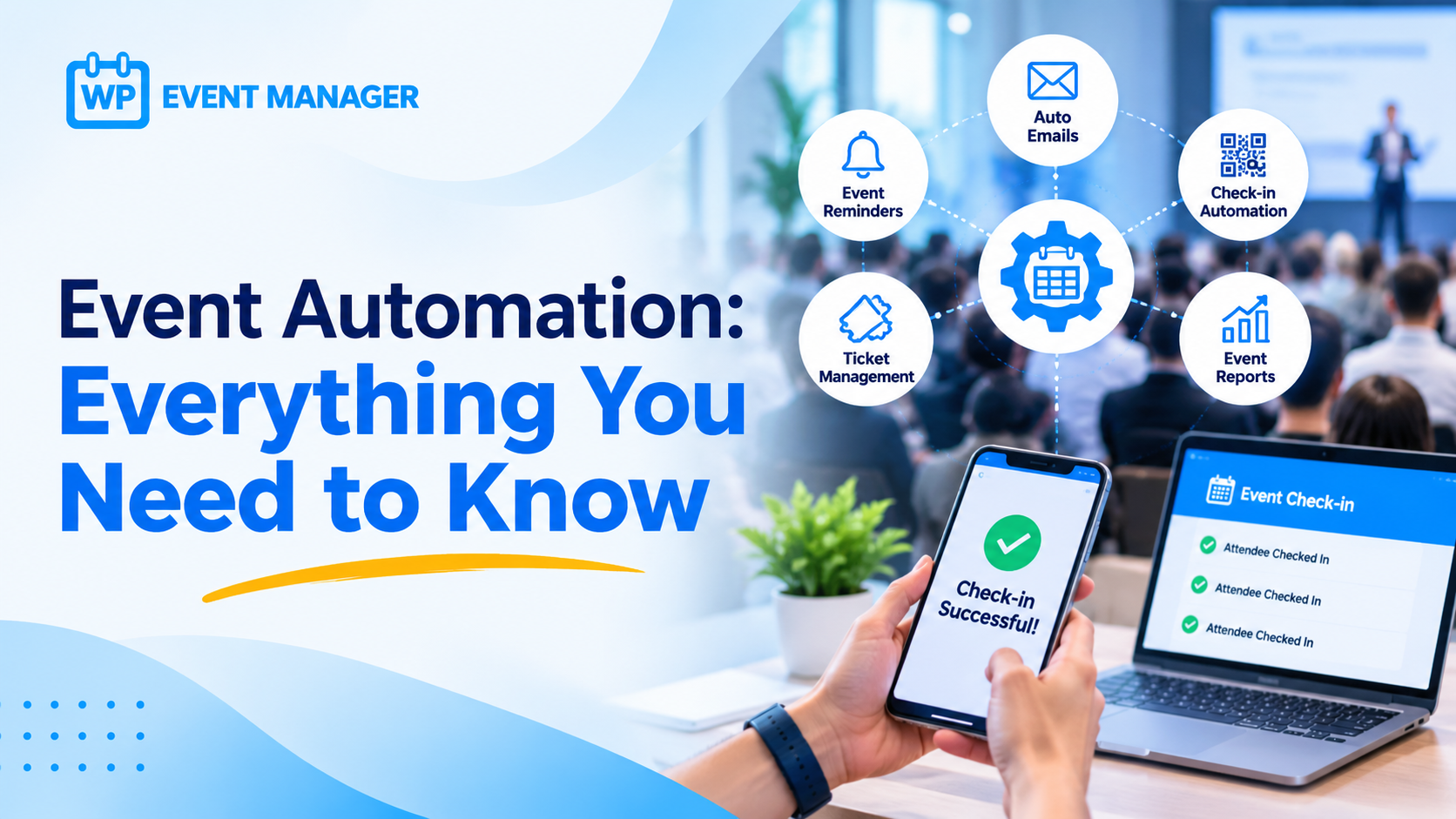
Event management involves multiple phases, starting with preparing a budget and selecting a venue to managing ticket sales, maintaining guest data, and promoting the event. Sometimes, it becomes challenging for event managers to handle every aspect efficiently. This is where automation comes in.
Automation improves efficiency and supports business growth. Similarly, event automation helps event planners handle different event management tasks with ease. Since it is powered by technology, it also helps improve accuracy at every stage, allowing event managers to focus more on core event activities.
Let’s explore event automation in more detail.
What Is Event Automation?
Event automation refers to using technology to automate various event management and marketing tasks. It saves time by handling repetitive activities and reduces the possibility of manual errors.
Event planners can automate their workflows using different tools, software, and solutions like WP Event Manager. It helps manage major event activities, including guest data management, registration, ticket sales, marketing, and more.
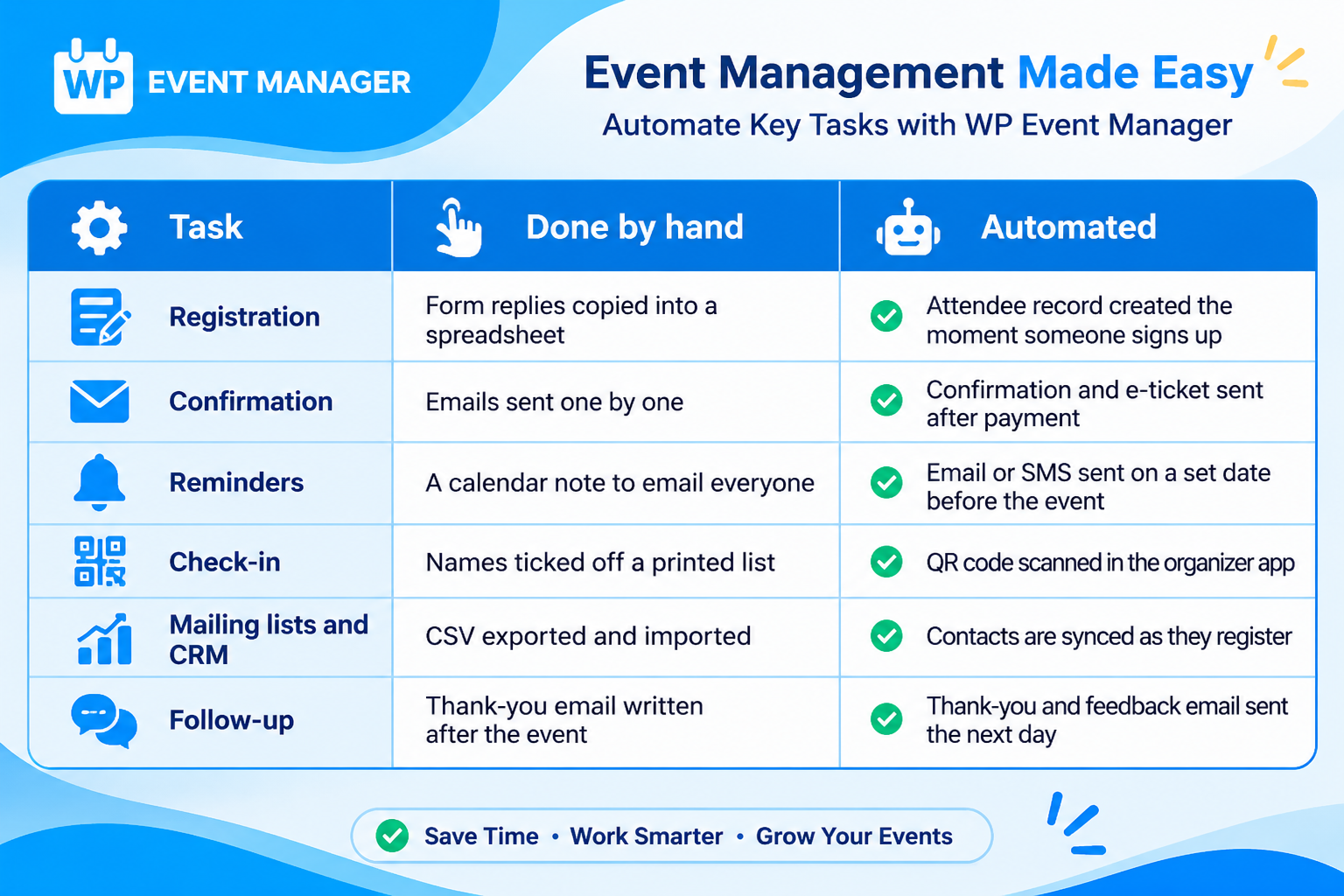
Here’s how common event tasks look when handled manually compared with automated workflows:
Which Event Tasks Can You Automate?
Gone are the days of handwritten guest records and physical RSVP cards. Today, technology plays an important role in almost every aspect of event planning. It expands an organization’s event management capabilities and allows planners and stakeholders to focus on event content and other essential activities.
Let’s see how automated event management can improve efficiency in event planning.
1. Streamlining Guest Management
Managing guest data is one of the most important event management tasks for planners. It involves hours of data entry, monitoring RSVPs, and handling last-minute changes. Event automation tools designed for guest data management can help reduce this workload.
They can help you with the following tasks:
- Automatically save guest data when attendees enter their details during registration.
- Sync data across multiple devices.
- Categorize guests.
- Send automated email notifications to attendees.
WP Event Manager is an event management plugin for WordPress that offers features to improve your event management capabilities.
It offers multiple CRM and email marketing integrations, including Hubspot CRM, Salesforce, Zoho CRM, and Mailchimp. These integrations help you manage guest data and sync information across your connected platforms.
For example, when a guest registers on your website, their details can be sent to your connected CRM. You can then organize contacts into categories, such as VIP or standard guests, based on the ticket they selected.
2. Marketing and Promotion
Effective marketing and promotional activities are essential for increasing your event’s audience reach. In today’s digital environment, email marketing plays an important role in business growth. However, sending emails individually can be time-consuming, labor-intensive, and prone to errors.
Event marketing tools help eliminate much of this manual work. They allow you to save time, improve engagement, and build awareness around your events.
To benefit from marketing automation, you can use WP Event Manager’s marketing add-ons. They help automate email marketing and send personalized messages to your audience.
- The Emails add-on sends custom event emails.
- The SMS add on sends text messages through Twilio.
- The Mailchimp, Brevo, ActiveCampaign, and Constant Contact add-ons help add new registrants to your mailing lists automatically.
3. Registration and Ticketing
The success of your event depends, to a great extent, on how you manage registration and ticketing. Without automation, the process can become time-consuming and prone to errors for both organizers and attendees.
That is why automation is important. With the right software, you can streamline your ticketing and registration process.
WP Event Manager’s Sell Tickets and Registrations add-ons are designed to simplify event ticketing and registration. You can create customizable registration forms, track registrations and ticket sales, analyze reports, and offer attendees a simple ticketing experience.
Once an attendee purchases a ticket, they receive a confirmation email and a PDF e-ticket with a QR code, without you having to send anything manually.
With the Attendee Information add-on, you can also collect additional details for each ticket, such as dietary requirements or T-shirt sizes.
Read our previous article on how to create an event ticketing system on WordPress for detailed guidance.
4. Personalization
Personalization is an important part of creating successful digital experiences. With automation, you can create more personalized event experiences for your attendees.
For example, CRM tools help you maintain attendee data, understand your audience, and learn what people expect from your events.
Based on attendees’ preferences, interests, and expectations, you can improve your event content. You can also use marketing automation tools to send personalized emails to your followers, subscribers, and audiences.
The Registrations add-on also includes AI matchmaking, which you can enable for individual events. It helps attendees find the people they would most like to meet at your event.
5. Post-Event Analysis
Post-event analysis helps you measure event success, website performance, lead generation, and social media activities.
For example, WP Event Manager’s ticket-selling add-ons help you monitor important event activities, from ticket sales to the number of registrations. By analyzing this data, you can identify what is working well for your business and what needs improvement.
The Google Analytics add-on shows how visitors find your event pages and what they do there. The Export Events add-on lets you export event data into a spreadsheet.
You can also send a thank-you email with a short feedback form the day after the event, while the experience is still fresh in attendees’ minds.
6. Reminders and Notifications
People often register for events weeks in advance, and then life gets busy. Reminders keep your event on their radar and are among the easiest tasks to automate.
You can schedule one reminder two days before the event and another on the morning of the event. Both messages are sent automatically, so you don’t have to send them manually on event day.
The Emails add-on handles email reminders, while the SMS add-on sends text messages through Twilio for guests who don’t check their inboxes regularly.
Notifications can also help organizers. The Alerts add-on can notify you when new registrations come in.
7. Check-In
Long queues at the entrance can create a poor first impression. Checking names against a printed list is slow, and the process becomes even slower as the crowd grows.
With the Event Check-in app add-on, your team can check guests in by scanning the QR code on their e-ticket using the organizer mobile app.
The app works offline, so weak Wi-Fi at the venue won’t stop your team from checking attendees in. It also syncs data across devices when several team members are managing the entrance.
If you prefer not to use the app, you can still check attendees in manually from your WordPress dashboard.
The Guest list add-on gives you a clear list of expected attendees, while the Name Badges add on helps you create badges for your guests.
8. Connecting Your Other Apps
Most event organizers use more than one tool. Your attendee list may need to be added to a spreadsheet, your team may want a notification in Slack, and your online sessions may run through Zoom.
The Zapier add-on connects WP Event Manager with apps available through Zapier. For example, a new registration can add a row to Google Sheets or send a message to your team without manual copying and pasting.
The Zoom add-on connects your events with Zoom meetings and webinars, while the Rest API add-on allows developers to build custom workflows using event data.
How to Automate Event Management Tasks?
To automate event management tasks, you need to choose the right event management software. As mentioned earlier, WP Event Manager can be a suitable option for your brand. Its features and add-ons support the event management needs of businesses of different sizes.
Here are the steps to get started:
- List the tasks you repeat for every event, such as registrations, confirmations, and reminders.
- Install the free WP Event Manager core plugin.
- Choose and purchase the premium add-ons that match your requirements.
- Install the add-ons and configure the features you need.
- Register for your own event using a test email address to check that confirmations, tickets, and reminders arrive as expected.
Wrapping Up
There is no doubt that the event industry has undergone a major transformation with the adoption of digital technology. The growing popularity of event automation is proof of this change.
If you want to automate your events and support business growth, WP Event Manager can be a useful partner in your event automation journey.
Start with registration, confirmations, and reminders, then add more automations as your events grow. Try the live demo to see how it works.
Frequently Asked Questions
1. What Is Event Automation?
Event automation is the use of software to manage repetitive event tasks without manual work. A trigger, such as a registration, payment, or scheduled date, starts an action such as sending a confirmation email, issuing an e-ticket, or delivering a reminder.
Event planners still make the important decisions. Automation handles the tasks that need to happen the same way every time.
2. Which Event Tasks Should I Automate First?
Start with the tasks you repeat for every attendee. For most organizers, these include registration, confirmation emails, e-tickets, and reminders.
After that, consider syncing attendees with your CRM or mailing list, automating check-in, and sending thank-you emails after the event. One-time tasks, such as venue discussions or speaker briefings, can remain manual.
3. Is Event Automation Only for Large Events?
No. Even a monthly workshop with 30 attendees requires registrations, confirmations, and reminders. These tasks take time regardless of event size.
Small teams can benefit significantly because the organizer is often also responsible for answering emails and managing registrations. Larger events can add automation for badges, seating, and CRM synchronization.
4. Can I Automate Events on a WordPress Website?
Yes. An event management plugin like WP Event Manager lets you publish events on your own website and add features such as registration, ticket sales, email notifications, SMS, and CRM synchronization through add-ons.
The core plugin is free, and you can choose the premium add-ons that match your event requirements.
5. How Does Automation Help With Marketing an Event?
Automation helps send the right message at the right time without requiring you to track every date manually.
For example, new events can be promoted to past attendees, early-bird deadlines can trigger an email, and new registrants can be added to your Mailchimp, Brevo, or ActiveCampaign mailing list automatically.
You create your messages once, and the automation tool sends them whenever the configured trigger occurs.
6. Does Event Automation Replace an Event Planner?
No. Event automation reduces administrative work, but it does not replace event planning. Choosing a venue, creating the programme, managing sponsors, and solving problems on event day still require human involvement.
Automation takes care of repetitive tasks such as copying information, sending routine messages, and managing registrations. This gives event planners more time to focus on the activities that matter most to attendees.
The post Event Automation: Everything You Need to Know appeared first on WP Event Manager.


0 Commentaires