Creating and maintaining an entire WordPress website for a business is not child’s play. Starting from page creation, content writing and managing SEO to connecting with customers, it covers a huge area of work that requires perfection. This is where the role of AI-first workflows in WordPress comes in.
AI automation has drastically transformed the way workflows are managed in WordPress by significantly reducing the struggles of the site owners and agencies. They can now handle more clients without hiring more people as AI has now automated repetitive tasks including website optimization, customer support content creation, and more.
If you are still following the traditional method of maintaining your WordPress workflow, it is high time you think of adopting AI to reduce your stress. In this article, we have shared a detailed guide on how to utilize AI to automate your WordPress workflows
Why do AI-first workflows in WordPress matter?
The current tech world is highly driven by AI and automation. Industries are using these technologies to speed up business operations by eliminating manual efforts. Here’s why AI-first workflows in WordPress matter:
- Strength: AI helps streamline the process of creating, editing and optimizing your website content making it faster and easier for you.
- Accuracy: AI driven automation not only eliminates human efforts but also minimizes errors offering 100% accuracy in every task.
- Scalability: Your team can easily manage multiple sites and client projects with AI without feeling overwhelmed.
- Creativity: When your repetitive tasks are managed by AI, you get the opportunity to brainstorm new and innovative ideas to show your creative side.
How AI-first workflows in WordPress work?
AI based workflow automation in WordPress means using AI driven tools to automate major tasks in managing your website. These tools work independently, make the process fast, handle bulk tasks without stress, and offer predictive analytics to strengthen your marketing and make data-driven decisions.
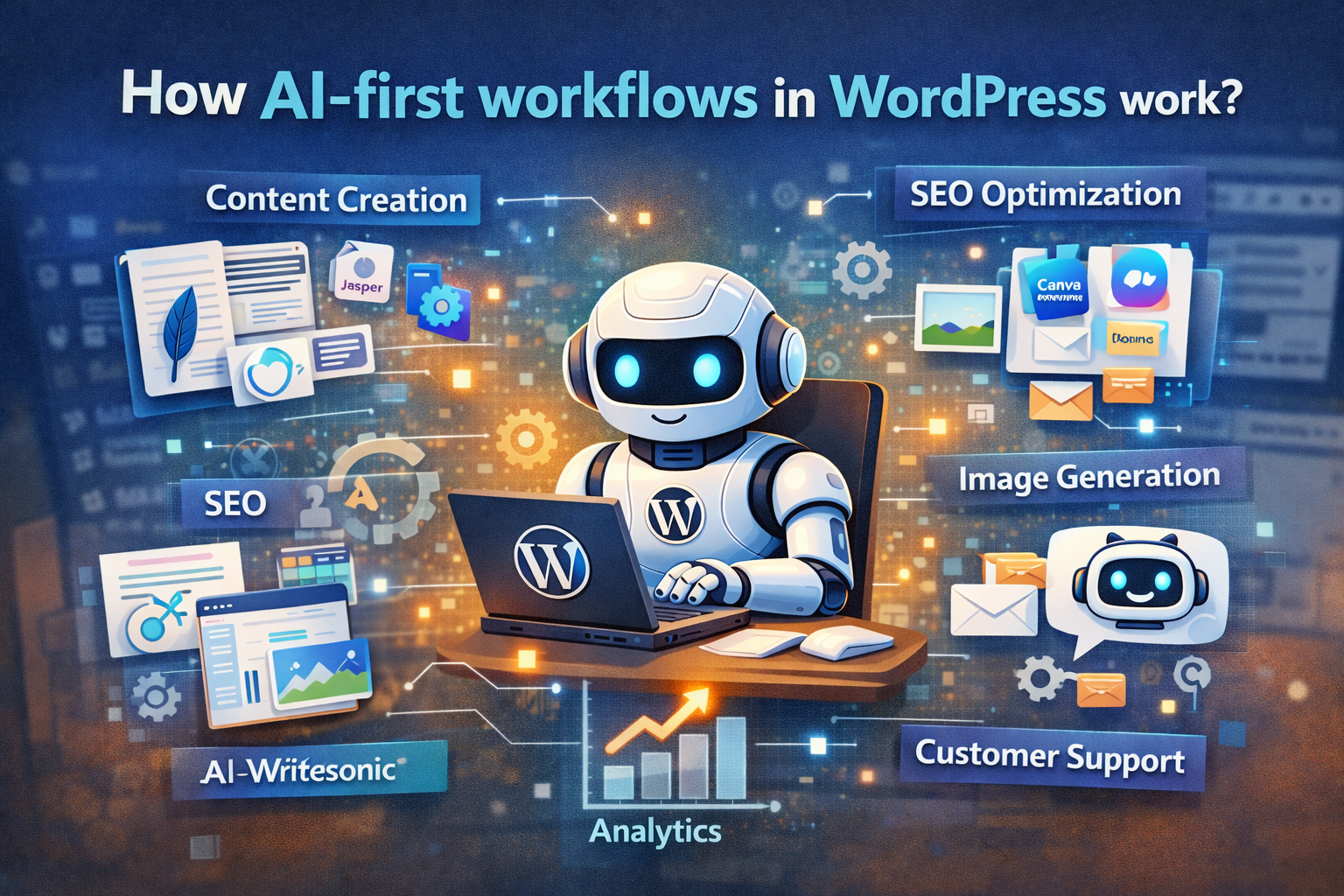
Let us discover how AI automates WordPress tasks:
1. Automate content creation with AI
Content is the heart of any WordPress website. However, delivering high quality content involves finding a good topic, understanding the target audience’s interest, keyword research, preparing a structure, and more, which can be overwhelming and time-consuming. Thanks to AI, most tasks have been simplified, allowing agencies and bloggers to create SEO-friendly content in minutes.
Some popular AI writing tools include Jasper and Writesonic that help you:
- Create blogs, ad copies, product descriptions, headlines, meta descriptions etc.
- Deliver bulk content in minutes with proper keywords and information.
- Handle more clients in less time.
Using AI tools for content creation is undoubtedly a good idea, but human refinement is necessary to fill the gap of creativity.
2. Automate website SEO with AI
Running a WordPress site without SEO is like creating a billboard but not turning on the light. People pass, but they do not see it. Optimizing your site for search engines is also a laborious and time-intensive job. Tools like RankMath, Yoast SEO, and Clearscope are truly helpful in this regard.
AI helps you in the following ways in SEO:
- Initiates deep research to find out keywords suitable for your business.
- Offers useful insights to improve your headings, metadata and content grammar and readability.
- Analyzes your content thoroughly, suggests improvements, and predicts if it is able to catch search engines’ attention or perform better than your competitors.
AI gives you practical and result-driven solutions to improve your site SEO that usually take hours of human labor with tedious checking, competitive research, comparison and more.
3. Designing and generating images automatically with AI
Your site images are as important as the content. Before AI came into the picture, agencies or business owners used to hire designers to create images. However, the scenario has changed as they rely on AI tools like Canva, Midjourney etc for generating high quality images within seconds.
Here is how it helps:
- Allows you to create banners, blog images, video thumbnails, illustrations etc.
- Saves money and time on hiring and training designers for image creation.
- You can directly use it in your WordPress media library through plugins.
Empower your content with relevant and high quality images.
4. Strengthen customer support with AI
Now you can fulfill your consumers’ and site visitors’ demand for instant replies to their queries with AI. Agencies do not need to hire a 24*7 support team as they can now rely on AI tools to give instant answers to their customers and visitors’ queries.
Here is how such tools help:
- Delivers automated responses to queries.
- Improves customer satisfaction and builds a bond with them.
- An AI based chatbot is the first thing on your website that your visitors communicate with.
- It saves the cost of appointing an entire team for support.
5. Automating security and maintenance with AI
WordPress being one of the most widely used CMSes in the world, is vulnerable to threats and attacks especially when it comes to eCommerce sites. Using AI based threat detection tools including Malcare or Wordfence can protect your site from such attacks.
Here is how they help:
- It detects malicious activities on your website in real time to help you take action before damage.
- Some plugins also offer auto-blocking brute-force attack or provide vulnerability patches.
- Offers automated theme and plugin updates.
It creates a security layer outside your website that helps you earn the trust of your visitors and boosts credibility.
Talking about AI powered WordPress tools, it is worth mentioning that WP Event Manager is one such tool that simplifies event management workflow for WordPress users. Discover the plugin now!
Wrapping up
AI is simply a problem solver for website owners. It gives you multiple opportunities to unveil your creative side by eliminating your stress and labor from repetitive tasks. AI driven workflow in WordPress mainly covers the usage of AI in content and image generation, managing website SEO, security and customer support.
The post AI-first Workflows in WordPress: A Complete Guide appeared first on WP Event Manager.


0 Commentaires