Hackers are always in the hunt for websites that are not secured. A small mistake in your website maintenance makes it easy for them to break into your site. WordPress is an immensely popular content management system powering 43% of all websites in the Internet. This makes it a frequent target for cyberattacks.
Early detection is the key to prevent any serious damage to your website and business reputation. So how to tell if your WordPress site has been hacked? Well, you need to look for certain signs to determine if your site is compromised.
If you suspect that your site is hacked, you must be aware of certain signs and symptoms that are mentioned in this article. Before diving into the main topic, let us first discuss why WordPress sites are hacked
Why WordPress Sites are Hacked
Website vulnerabilities are one of the biggest reasons behind WordPress site hacking. Bots constantly look for such opportunities to hack a website. Unfortunately, website owners often overlook the importance of website security, which ultimately leads to hacks.
Here are some common causes of WordPress hacks:
- Weak passwords.
- Unreliable hosting.
- Using outdated plugins.
- Sharing admin access to many users.
For a comprehensive understanding of WordPress security best practices, read our previousWordPress Security Guide.
Signs Your WordPress Has Been Hacked
Identifying the signs of a hacked website early enables you to take prompt action, minimize potential damage, and restore your site’s security more effectively.
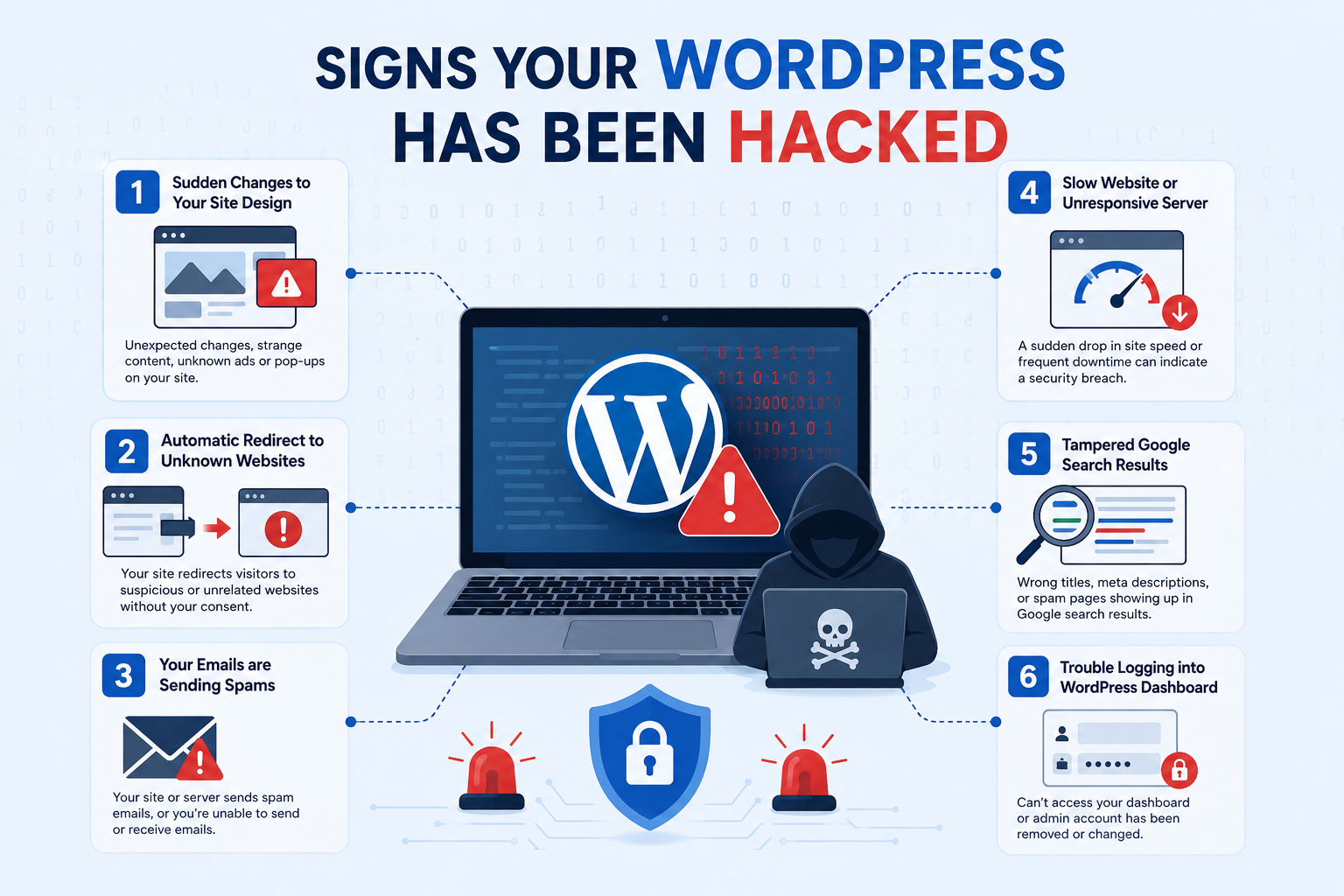
1. Sudden Changes to Your Site Design
One of the classic signs of a hacked website is noticing a sudden change in your website’s appearance.
You may face the following things:
- You may find that your homepage contains inappropriate images, content or advertisements you have not added.
- Irrelevant pop-ups and banner ads that you have no idea about.
These are the first signs that you will notice in a hacked website. However modern hackers usually avoid messing with your website design to make sure that you do not find out about the hacking.
2. Automatic Redirect to Unknown Websites
While opening your website, if you are redirected to a completely different site, which usually sells low quality products or fake goods, it is a clear indication that your WordPress has been hacked. Hacked sites tend to redirect users to malicious sites.
Sometimes, this only happens with unregistered users. So to examine if your site is hacked, visit your website using the incognito mode from a different device. Hackers add JavaScript to your site to display irrelevant ads so that they can earn money through your visitors.
3. Your Emails are Sending Spams
You may find out that you are not able to send or receive any email through your official business email id. It is also a prominent sign that your mail server has been breached. If your server continues to send out spam, your domain name gets blacklisted. Unfortunately, it will restrict your email communication with your clients.
If you face something like this, make sure you take immediate action to prevent any further issues. The good news here is early detection and proper actions can easily resolve such issues.
4. Slow Website or Unresponsive Server
Another noticeable sign that your WordPress has been hacked is an unexpected slowing down of your website. Besides a slow website, your server may often go down.Websites of all sizes are vulnerable to random DoS and DDoS attacks that can disrupt normal operations. This ultimately slows down your website, making it unresponsive or completely unavailable.
Attackers use a network of hacked devices to target websites. They can overload your server with traffic or attempt to break into your site. Go through your server thoroughly to find out and block the IPS that are making too many requests.
5. Tampered Google Search Results
If you see that your website pages appear with the wrong title, meta description, or content that is not relevant to your website on Google Search Results, it is a clear sign that your website has been compromised.
In many cases, hackers create spam pages on compromised websites to promote their own products, services, or malicious links. These pages are then indexed by Google, causing them to appear in search results alongside your legitimate content. Sometimes, the spam content may even be written in a foreign language, making it easier to spot.
To know if this happened with your website go to Google and type site:yourdomain.com.au in the search bar. Use your actual domain name in place of yourdomain.com and Google will show you the pages which it has indexed from your website. By scrolling the results, you will be able to find the incorrect page title and meta description from the list.
6. Trouble Logging into WordPress Dashboard
Not being able to log into your website as an admin is another sign of a WordPress hack. Once hackers get access to your site, they might delete your admin account from WordPress. Even if you regain your admin account access, your website will still be at risk.
In many cases, hackers leave behind malicious files, hidden backdoors, or harmful code that can continue to compromise your website even after you regain access.
Without a thorough security assessment and cleanup, your website may remain vulnerable to further attacks.
Wrapping up
Recognizing the signs your WordPress site has been hacked is the first step toward protecting your website, business reputation, and customer trust. Whether it is unexpected redirects, spam emails, slow performance, tampered Google search results, or difficulties accessing your WordPress dashboard, these warning signs should never be ignored.
The longer a hacked website remains compromised, the greater the risk of data loss, search engine penalties, damaged credibility, and potential financial consequences. Taking swift action can help minimize the impact and prevent further security breaches.
The post How to Tell if Your WordPress Site Has Been Hacked appeared first on WP Event Manager.


0 Commentaires