It is no less than a nightmare for nonprofit managers to experience low event attendance. It is a direct threat to fundraising revenue, donor relationships, and community impact.
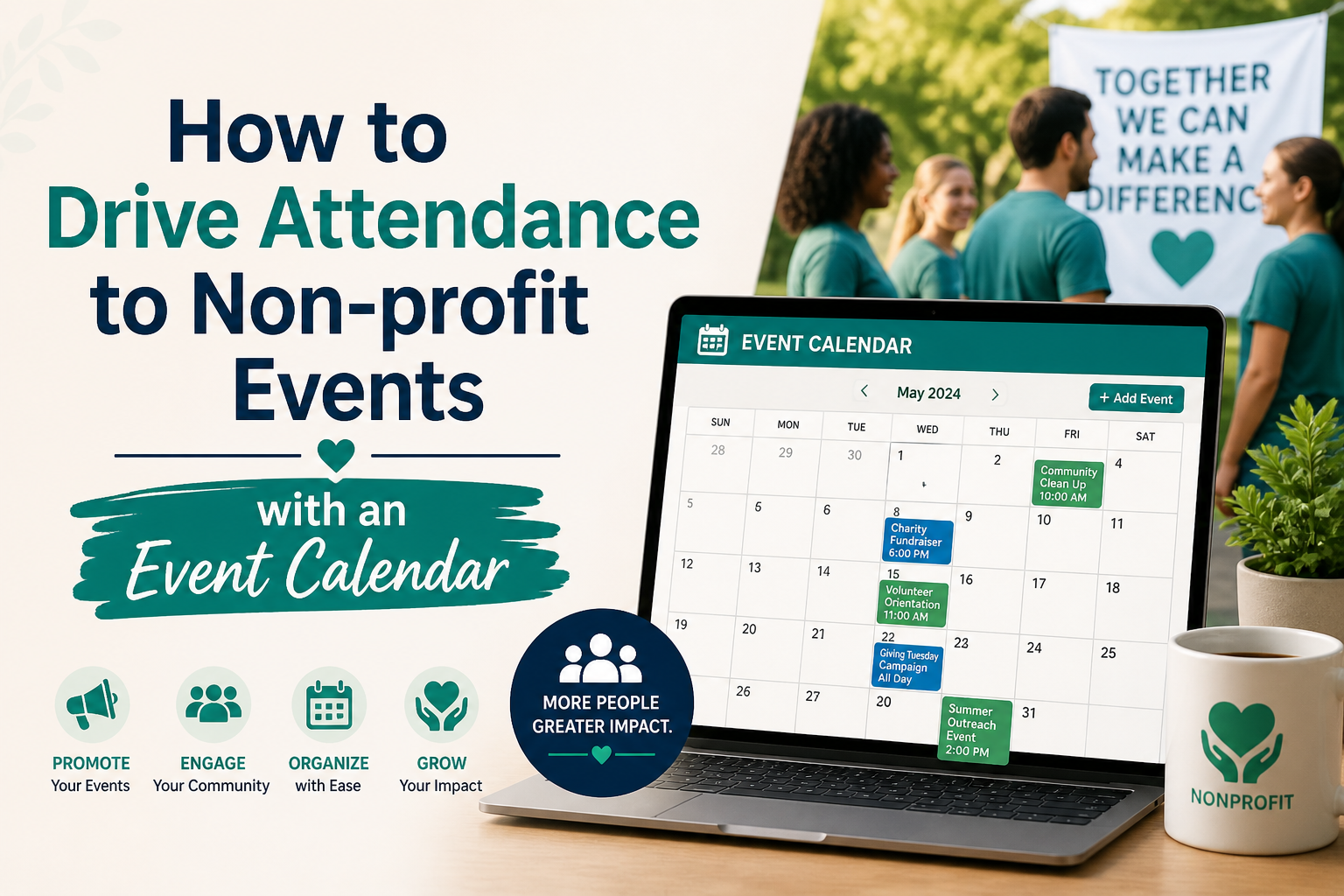
Surprisingly, in most cases, poor marketing is not the only problem behind low attendance. The main problem often lies in poor discoverability and user friction. A well-crafted nonprofit event calendar on your WordPress website can solve both.
In this article, we have shared a detailed guide on how to drive attendance to non-profit events with an event calendar.
What is a nonprofit event calendar and why you need one
A nonprofit event calendar is a calendar on your website that displays all your upcoming non-profit events and their dates along with a brief description. It helps website visitors find their preferred events and their dates in one place.
Most nonprofits depend on social media posts and email newsletters to promote events. Though they are crucial to reach out to your target audiences, they do not last long. The lifespan of a Facebook post is about 48 hours, after that people lose interest in it. Similarly, emails are either ignored or archived. On the other hand, an event calendar works 24/7.
An event calendar should be prominently displayed on your event page so that visitors can easily access it. Avoid putting your calendar link in your website’s footer section.
Advantages of having a non-profit events calendar
No matter what type of events you run, having an event calendar brings a lot of advantages for your business.
Boost online visibility: With event schema markup, your events can appear on the top Google results, offering you a better visibility online and that too for free.
One place for all events: An event calendar displays all your upcoming non-profit events at one place making it easier for visitors, your team and supporters to find the event dates without any hassle.
Reduce no-show rates: With timely reminders to your registrants, you can dramatically reduce no-show rates.
Syncs with personal calendars: It is easy to sync a non-profit event calendar with Google Calendar which ensures that your participants do not miss the date.
Get insightful data: Easily track your event performance by keeping an eye on the real time data on registration, ticket sales, and attendee engagement.
Six proven strategies to drive attendance to non-profit events
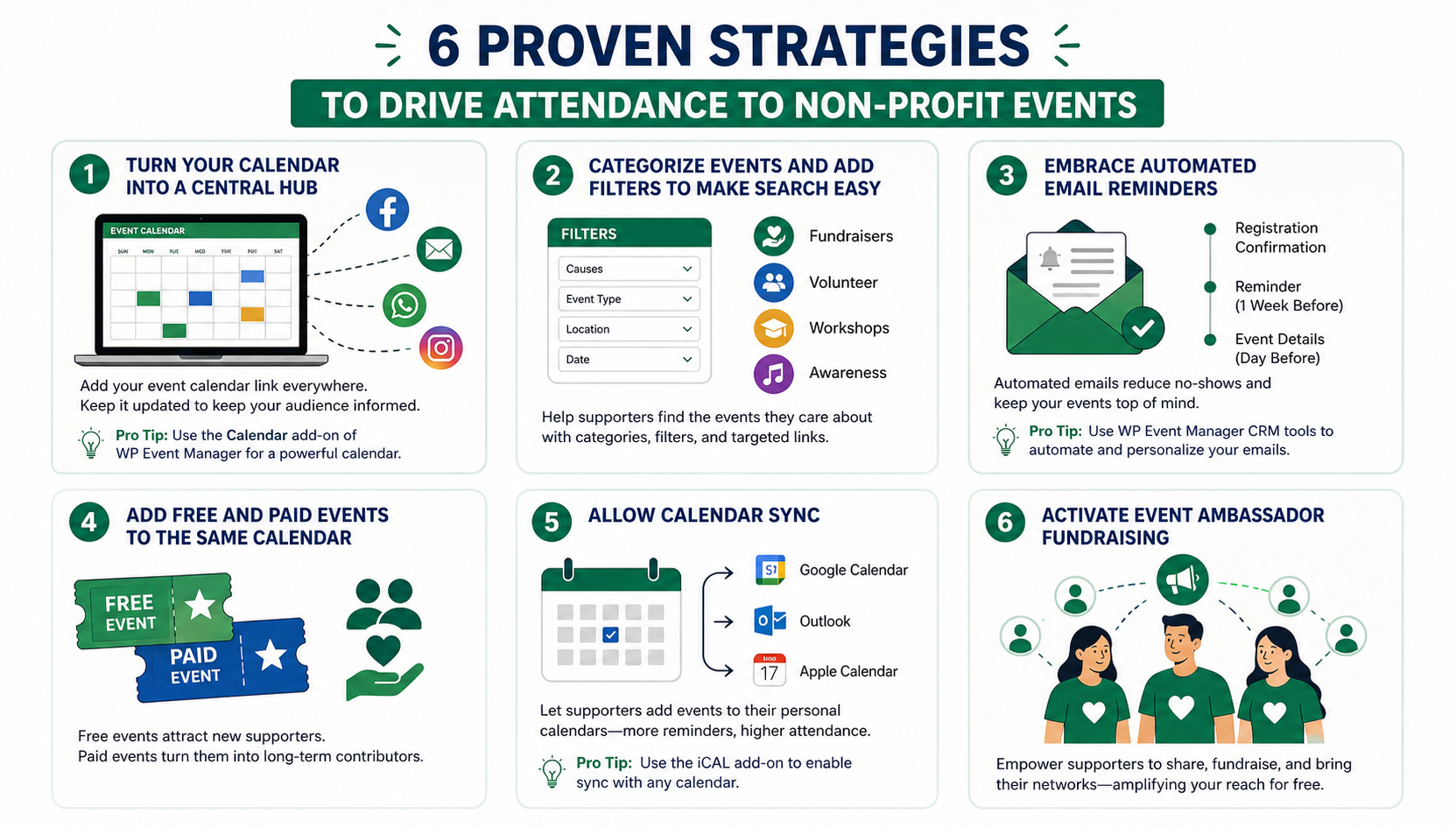
1. Turn your calendar into a central hub
Add your event calendar link to every social media post, email, or Watsapp message to ensure that all your followers and visitors are taken to your event calendar. This helps them get the dates and details of their preferred events without juggling between sites and pages.
By regularly updating your calendar, you can update your followers at the same time.
Protip: Use the Calendar add-on of WP Event Manager that allows you to display your event dates and details in a feature-packed calendar on your website.
2. Categorize events and add filters to make search easy
Not every website visitor or supporter would be interested in all your events. Finding their preferred ones from a big list of events can be time-consuming. To avoid this, you must divide your non-profit events into various categories. Enable filters on your public-facing calendar. This will help donors find the specific events quickly in which they are interested in supporting.
Here are the things you can do:
- Categorize events based on your non-profit’s program types.
- Enable event filters to make event search faster.
- Segment email campaigns with category-specific calendar links
3. Embrace automated email reminders
According to industry data, every one out of three registrants does not show up on the event day. For charity events, this figure is worse. The most affordable solution to this issue is to automate reminder emails so that you don’t miss an opportunity to remind them about the event.
- Start with registration confirmation emails that you need to send immediately after a registration is completed.
- Send an event reminder a week before the event. Make sure to add all the event details in it include speakers, session timing and an FAQ section.
- Share event venue direction, parking information, dress code, virtual event link etc in the email that you must send before the event day.
Following emails in the above mentioned sequence can significantly reduce the no-show rates in your upcoming charity events.
Protip: WP Event Manager offers multiple CRM tools that automate your email marketing campaigns and syncs attendee data across channels. You can segment your audiences and send customized emails to each group.
4. Add free and paid events to same calendar
One of the most effective non-profit event strategies is to display your paid and free events in the same calendar. Though this is often overlooked by event planners, there is a psychology behind this that encourages people to contribute to your noble cause. Your free events help attract people who don’t know your organization enough to pay for an event or make a donation.
Once they attend your free event and understand your cause they are more likely to buy a ticket to your next fundraising gala or give a recurring monthly donation.
5. Allow calendar sync
Supporters who add your event to their Google Calendar, Outlook, or Apple Calendar are significantly more likely to actually attend. This single feature pays dividends in improvinng attendance rate every time.
The psychology is straightforward: once an event is in someone’s personal calendar, it competes on equal footing with their dentist appointment and their child’s football match. Without that calendar entry, your event remains a vague intention that gets crowded out by the realities of daily life.
Protip: To enable this feature to your non-profit events, you can add the iCAL add-on of WP Event Manager to your website. Then you will be able to showcase your events on Google calendar or any other calendar you wish to.
6. Activate event ambassador fundraising
According to the 2026 Fundraising Outlook Report, 6 in 10 nonprofits are now asking supporters to fundraise around events, sharing event pages within their own networks, and driving peer-to-peer attendance. This transforms your most loyal supporters into a distributed, zero-cost marketing team.
Your event calendar is the anchor for this strategy. When ambassadors share an event, they share the event page URL, driving organic traffic to your site, building backlinks, and increasing your overall domain authority as an added SEO benefit.
How to set up your nonprofit event calendar on WordPress
If your website runs on WordPress which is one of the most widely used CMS platforms among nonprofits globally, setting up an SEO-optimised event calendar is easy with WP Event Manager.
Here are the steps to follow:
- Install the WP Event Manager plugin for free. This enables to you add your event listing and categorize them.
- Purchase the premium addons that you need from the sales page. For example if you want to add the calendar feature and display events on Google and other calendars you will need :
- Calendar
- iCal
For registration and ticket sales, you can purchase:
Demos are available for each premium add-on to help you test the plugins you want before you purchase them.
- Once you purchase them, you can install them and start working.
Measuring success: event metrics that actually matter
As a non-profit manager, you must measure each event’s performance after installing an event calendar so that you can improve your strategies for success.
Keep an eye on the below-mentioned metrics to track your event performance:
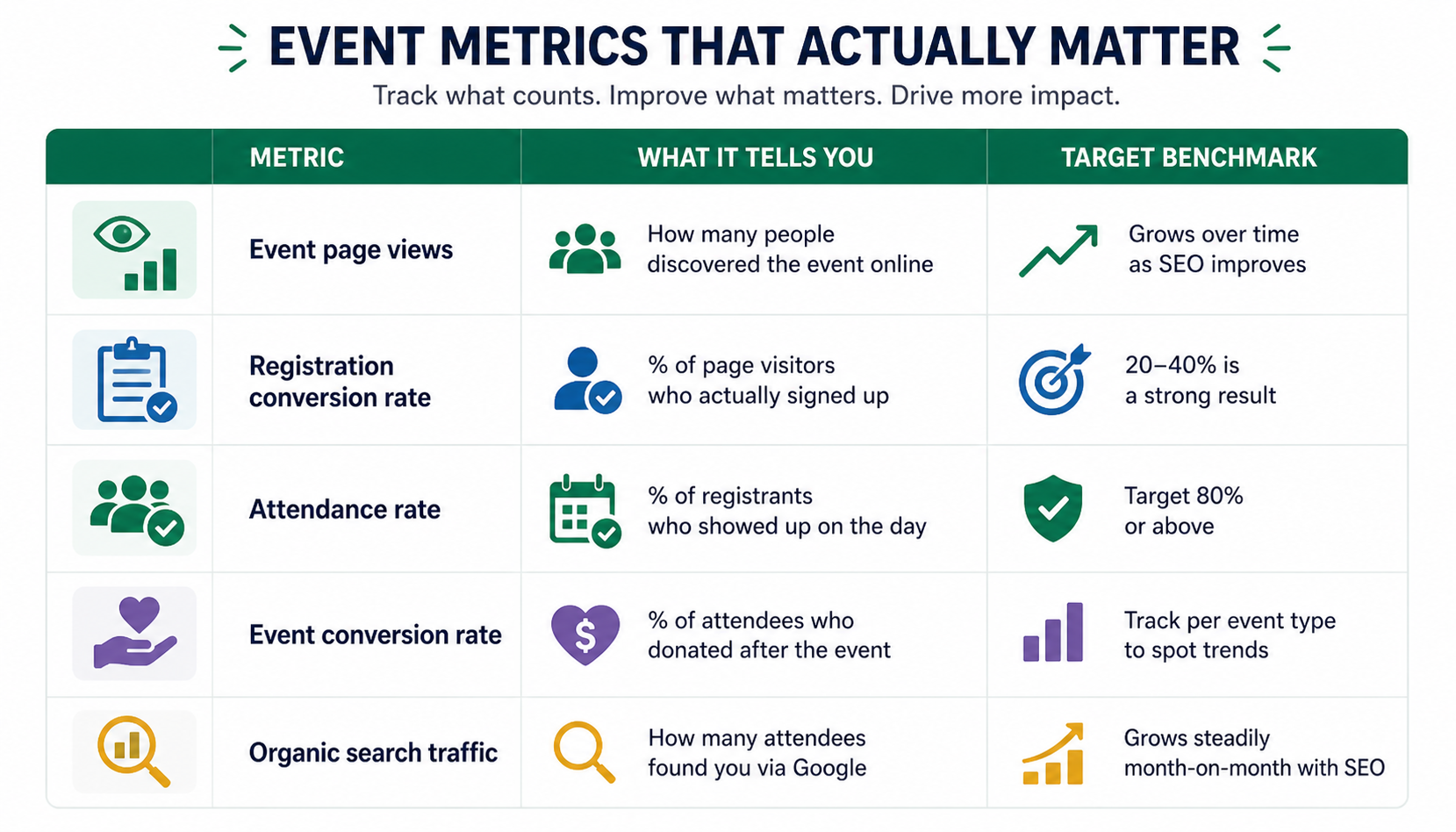
Track these consistently across every event. Within six months you’ll have a clear picture of which event types, categories, and promotion channels drive the most engaged attendees — the ones who show up, donate, and come back year after year.
Wrapping up
We hope that this article helps you drive attendance to your non-profit events with an event calendar. Use an efficient tool like WP Event Manager to add an interactive calendar to your website. Then categorize your events based on your program types. With WP Event Manager, you can also create a dedicated Events page and add it to the main navigation. Enable automated reminder emails for registrants to ensure they do not miss the date and measure your event performance for improvements.
The post How to Drive Attendance to Non-profit Events with an Event Calendar appeared first on WP Event Manager.


0 Commentaires