When it comes to online visibility, schema markup is an absolute necessity. Having good content on your website is no longer enough to impress search engines. Schema markup is a structured data that helps search engines understand your content better so that they can display better and accurate results.

Besides improving rank on search engines for websites, it also boosts their chances of being mentioned in AI driven summaries or answers. Adding SEO schema markup means your website appears with its ratings, pricing, FAQs and more in search results. This makes your website more clickable.
If you still have not implemented schema markup for your website SEO, it is high time you think of adopting it. In this article, you will learn about schema markup and how to implement schema markup for SEO.
What is schema markup?
As mentioned above, Schema markup is a structured data that helps search engines understand your website content clearly. It is a proven fact that websites with schema markup have a much higher click through rate than websites that don’t. It generally uses structured data that is based on a standardized vocabulary for identifying various website elements through labels. The language used in these labels helps search engines like Google, Bing, Yahoo, etc make out your content easily.
In simple words, it is the code that you insert on your website to label its different elements. Unlike humans, who understand images, text, etc, crawlers interpret this code on the backend. By implementing schema markup to your website, you make crawlers understand what your website is all about, which automatically improves its search engine visibility.
Now let us discover the types of schema markup.
Types of schema markup
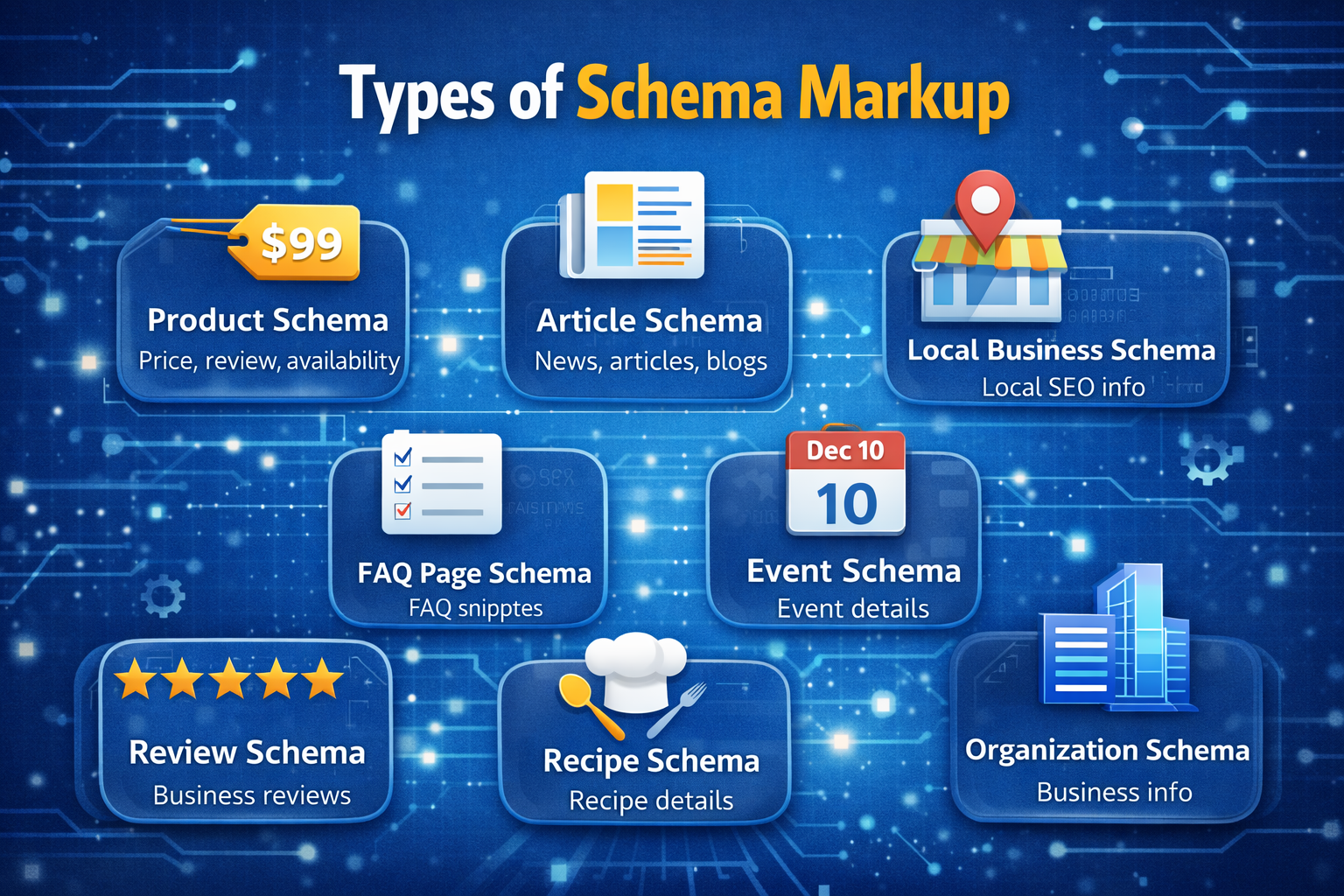
Here are some of the most commonly used schema:
- Product schema: created to improve eCommerce pages like product price, review and stock availability.
- Article schema: This includes news, articles, blogs and more.
- Local business schema: It enhances local SEO by showcasing business information in Google searches and maps.
- Event schema: It displays event details including its date, time, location, tickets etc. in search results.
- Review schema: Highlights business reviews and ratings in Google search results.
- FAQ page schema: Showcases page related FAQs for quality snippets and voice search optimization in search results.
- Recipe schema: Enhances recipe pages visibility by adding ingredients, cooking time, and ratings in search results.
- Organization schema: Add important business details like name, logo, contact details and more to search results.
Why schema markup is important?
In this digital era, where brands are facing cut throat competition for online visibility, schema markups give them an added advantage.
Here’s why schema markup is important:
- Improves search appearance: By helping search engines easily understand your website content, it improves the way your website appears in search results.
- Higher click-through rate: Schema markups add website ratings, pricing, FAQs etc to the search results which makes it more informative for users and increases its chances of being clicked.
- Enhance local SEO: Schema markups give a clear idea of your business location, opening hours and more to search engines helping your brand in local SEO.
- Improve voice search optimization: As voice search as become a trend schema markups allows search engines to offer the most relevant answers to user queries.
How to implement schema markup for SEO?

Whether you have an events website or run an online fashion brand, implementing schema markup can be extremely beneficial.
1. Identify the suitable markups
When you decide to add schema markups, at first you need to thoroughly go through your web pages to find out the schemas that you need to use. Consider taking help from schema.org to determine the schema type that will be suitable for your website content.
Here are some tips to find suitable markups:
- Read and understand your content type. You can begin with figuring out the content type like whether the page is about a blog post, FAQs, services, or anything else.
- Consider the search intent of users.
- Initiate a cometitiors’ research to find out their top ranking schemas.
- Pick schemas that perfectly match your business objectives.
2. Select a schema format
There are various schema formats available for you that include JSON-LD, Microdata and RDF. However, when it comes to choosing a schema for SEO, JSON-LD is the best option as it is recommended by Google. It is user-friendly, easy to maintain, and stays separate from the HTML content of a page. The best part is that technical and non technical users can use it efficiently without breaking the page layout. This schema format is widely accepted by search engines and known for generating rich results.
3. Create the schema markup
The next step is to create the schema markup. There are multiple ways to complete the step. You can do it manually using schema.org which is the official directory of schema data type properties. Here, you can also write the JSON-LD code yourself and embed it on your website. Though it gives a comprehensive control to your schema markup, you must know the right syntax.
Additionally, you can opt for an easier method by using tools such as Google’s Structured Data Markup Helper. The tool guides you throughout the process making it a suitable option for beginners.
4. Add the schema markup
One of the most convenient ways of adding the schema markup to your website is using Google Tag Manager (GTM). It allows you to add scripts including tracking codes, analytics, schema markup, etc to your site without modifying your site’s main code. You need to create a fresh tag in GTM and choose the custom HTML type. After that, you need to paste the JSON-LD schema markup code that you generated In the previous step into the tag.
The next step is to select the page you wish to apply the scripts to. WordPress users need to add a custom HTML block within the page editor to paste the JSON-LD script.
5. Make sure it runs properly
Once you create the schema markup, the final step is to check if the schema you created is properly running. If it is not implemented properly, search engines may miss it. As a result, you will not be able to generate rich results in Google search.
You can use a free tool like Google’s Rich Results Test to figure out if it works properly. All you need to do is to paste the webpage URL and it will examine if your schema is valid, it has all the required data or if Google can utilize to display enhanced listings.
After making your schema live, you can monitor its performance through Google Console.
Note: Implementing schema markup on your website is a step that you we need to take to improve your website SEO and its overall visibility online. Here it is to be mentioned that all WP Event Manager addons are SEO friendly ensuring that your website gets better visibility online.
Wrapping up
We hope that this article will help you understand the concept of schema markup, why it It is important for your website and how to implement schema markup for SEO. Whether you have an events website or an ecommerce store, the schema markup guide is suitable for all.
The post How to implement Schema Markup for SEO ? appeared first on WP Event Manager.






0 Commentaires